Support WP-Script
Updated :
Support WP-Script
Updated :
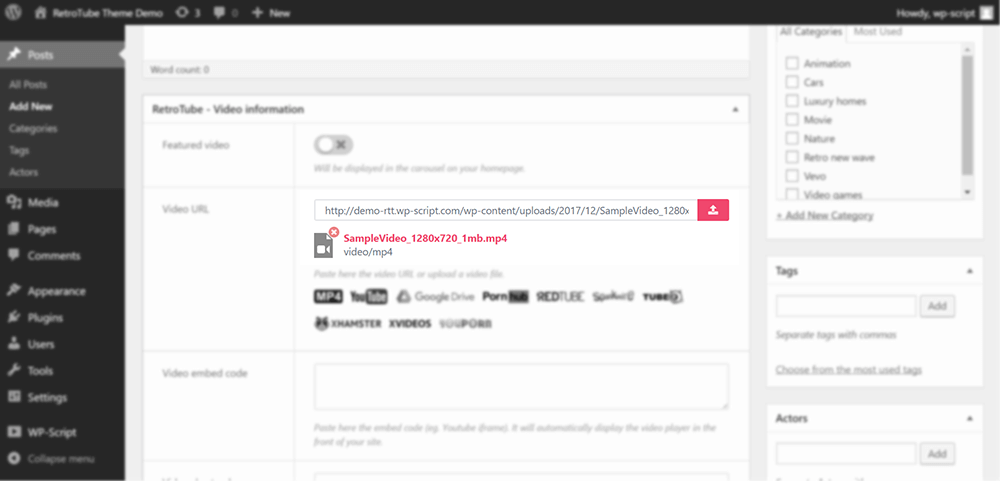
You can upload your own videos directly in the Video Information box under the description area in your post admin.
Where can I upload my video file?
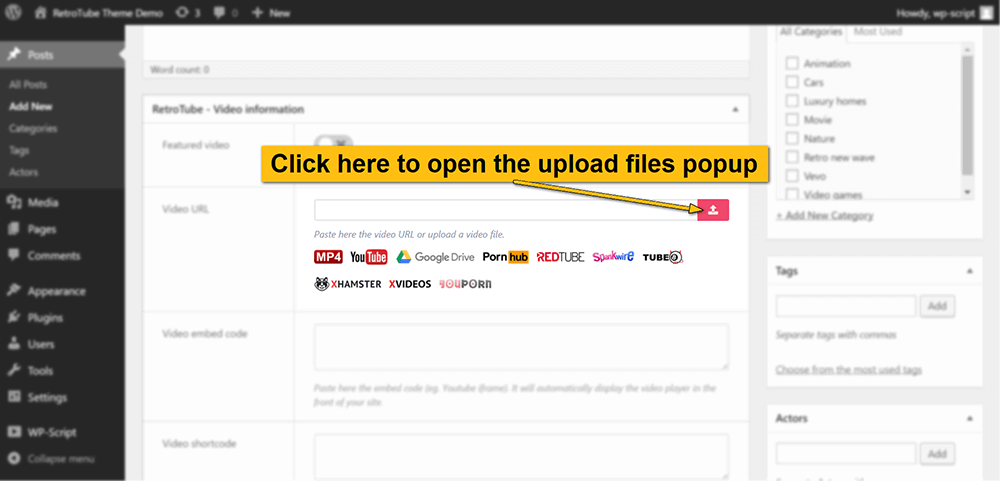
1. Click on the pink button at the right of the Video URL field:
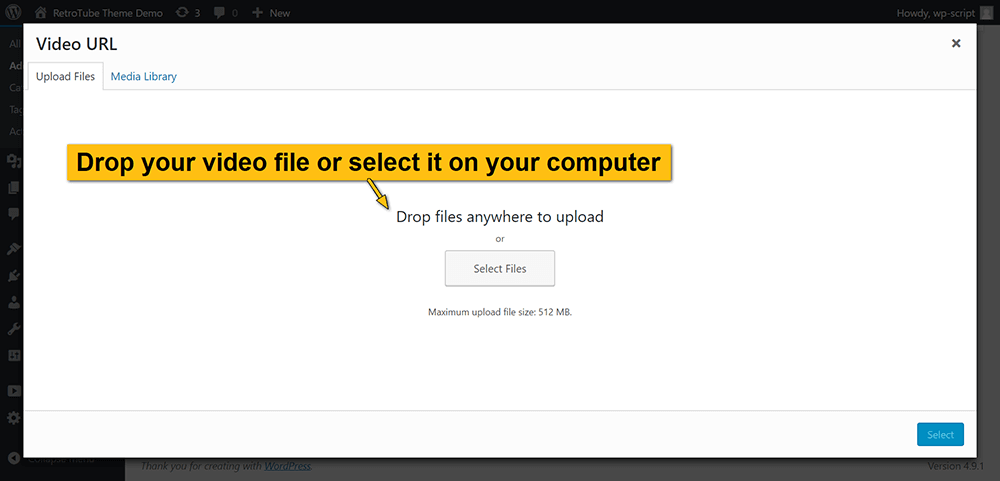
2. Drop your video file in the media popup:
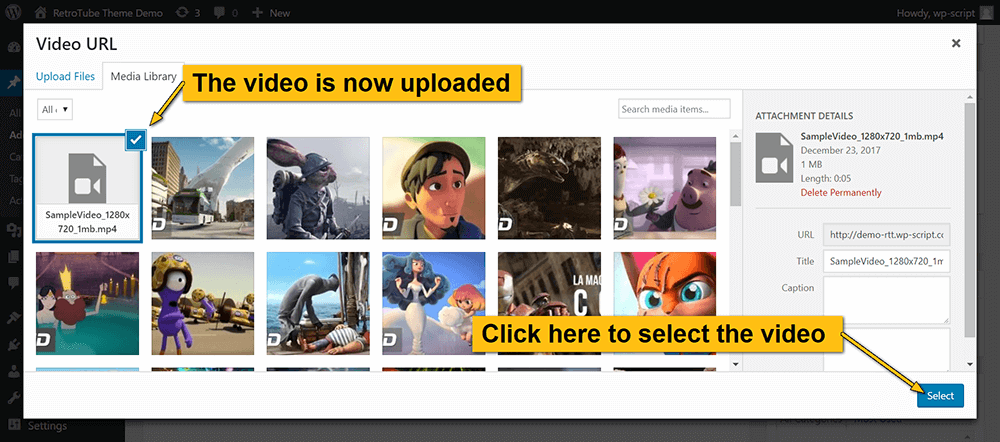
3. Once the video uploaded, click on the select button:
4. It’s done you have uploaded your own video and now it appears in the video URL field: